
Reviews not updating
Why new reviews might not appear immediately and what to do.
Sync schedule
Reviews are synced periodically from Google. New reviews may take some time to appear in your widget. The exact sync interval depends on your plan and server load.
Purge the widget cache
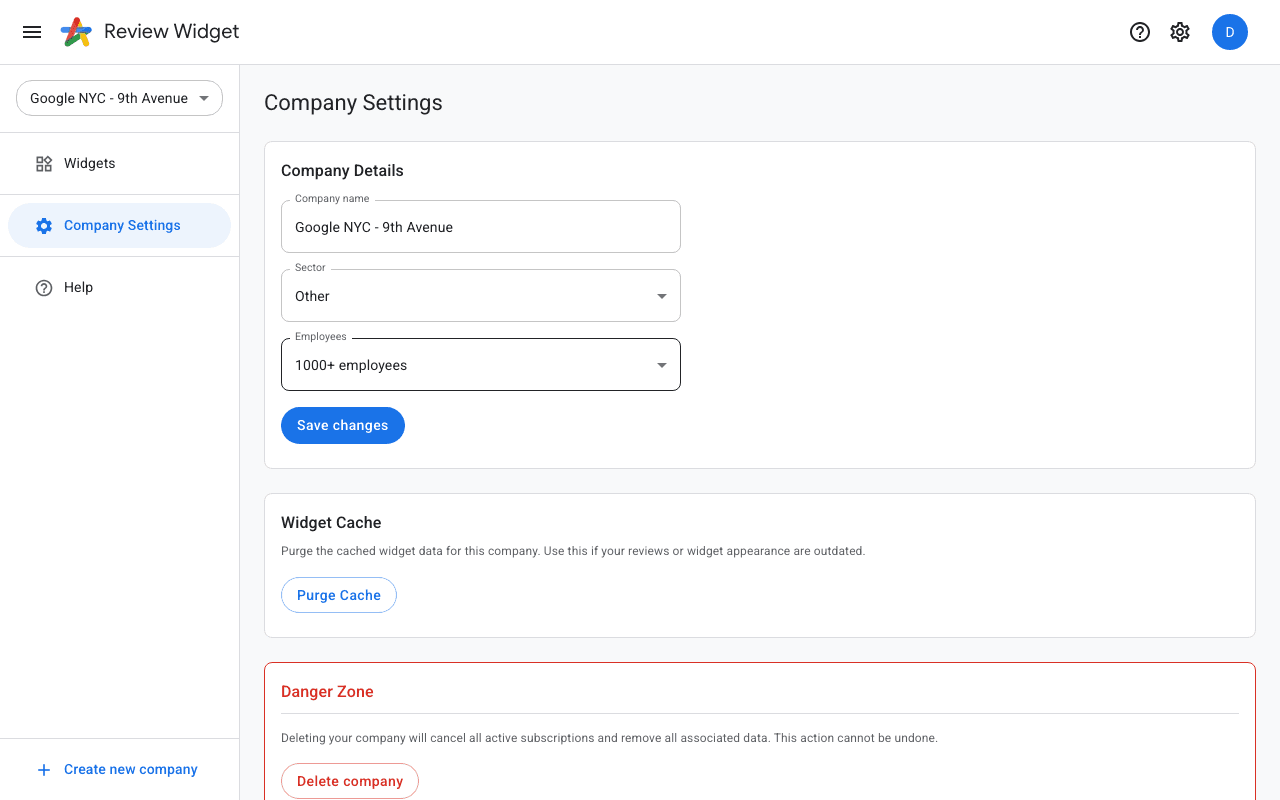
If new reviews are not appearing even after waiting, try purging the widget cache. Go to Company Settings in the sidebar and scroll down to the "Widget Cache" section. Click "Purge Cache" to clear all cached widget data for your company. Your widgets will then fetch fresh data on their next load.
Manual sync
You can trigger a manual sync from the Company Settings page if you need reviews updated immediately. Look for the sync or refresh option next to your Google connection.
Google delays
Sometimes Google itself delays making new reviews publicly available through their API. If a review is visible on Google Maps but not in your widget, wait a few hours and check again.